Compatibility
Tested MCP registration and bearer-authenticated connectivity for Codex CLI, Claude Code, and OpenCode.
MCP clients
Codex CLI, Claude Code, and OpenCode have tested MCP setup paths. The client keeps its model loop and local environment; Alvoki authenticates the caller and decides which tools it can discover and invoke.
Client authorization and tool access
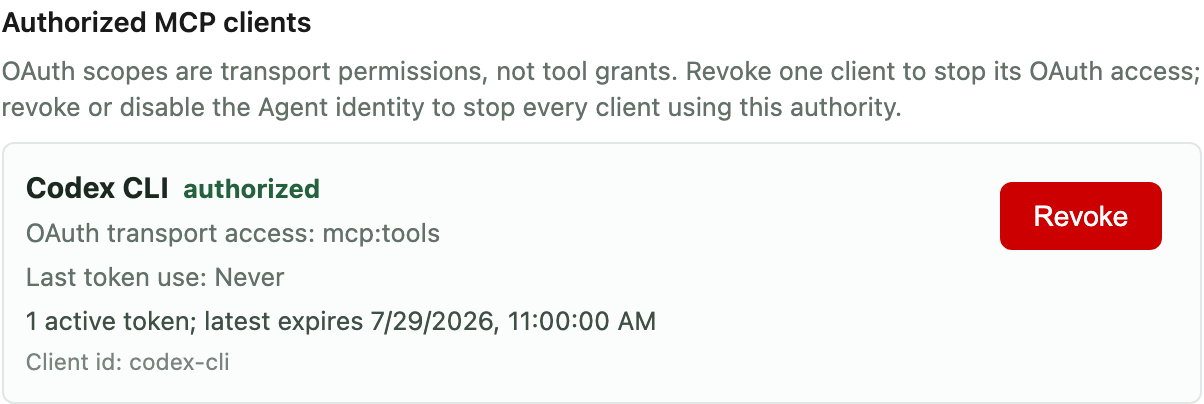
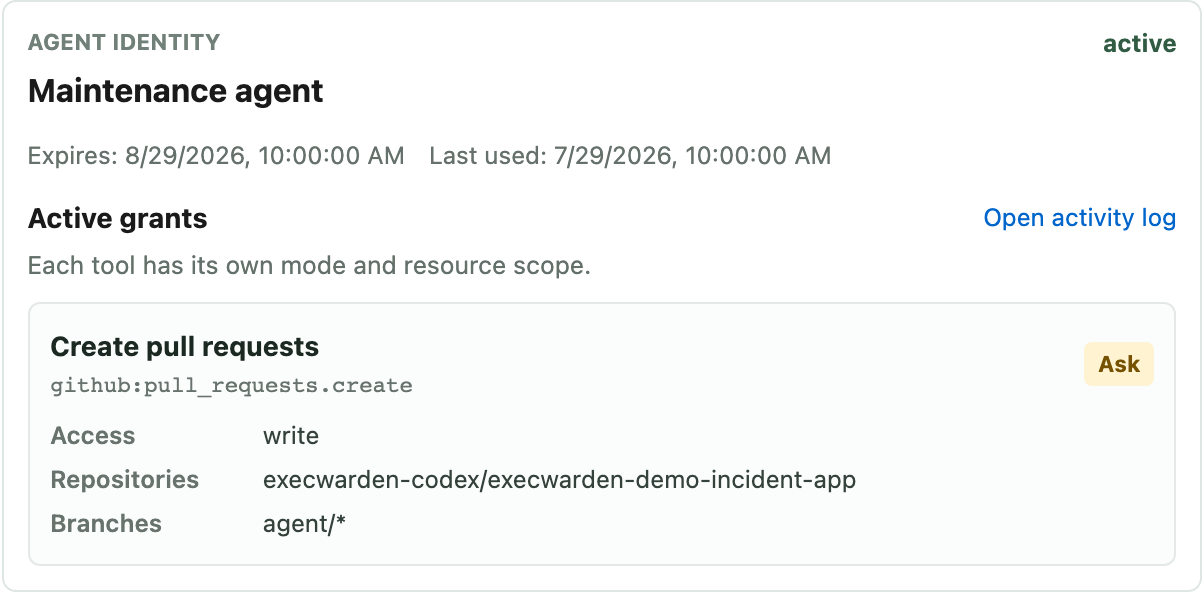
OAuth authorizes the MCP connection. The Agent identity then decides which tools the client can discover and invoke, with separate resource scope and Ask or Allow rules.
Integration shape
Compatibility
Tested MCP registration and bearer-authenticated connectivity for Codex CLI, Claude Code, and OpenCode.
Credential path
The client receives a scoped Agent identity. Underlying provider credentials stay behind Alvoki.
Tool access
GitHub, package-backed tools, and imported MCP tools follow the grants on that identity, including approvals, expiry, and revocation.
Current scope
This provides authenticated MCP connectivity and controlled tool access, not a hosted model session or native IDE integration inside Alvoki.
First setup
Register one client, issue one Agent identity, and grant only the tools it needs.
Tested MCP clients
These clients have tested registration and authenticated connectivity paths. Their commands differ; the Agent identity, per-tool grants, approvals, revocation, and activity records do not.
Tested MCP setup
Register Alvoki as a Streamable HTTP MCP server and authenticate with the Agent identity credential.
Configure Codex CLITested MCP setup
Register the remote HTTP endpoint with the Agent identity bearer header and keep Claude Code as the agent loop.
Configure Claude CodeTested MCP setup
Configure the remote MCP endpoint and bearer authentication while the same Alvoki grants limit its tools.
Configure OpenCodeRelated paths